
Rust Server Manager
Tired of rebuilding your setup after every forced wipe? Takaro gives you economy, teleports, moderation, and analytics from one web dashboard. Install the Carbon connector, pair it with your dashboard token, and manage from anywhere.
Free tier available. Connect your first server in minutes.
Sound familiar?
These are the problems Takaro was built to solve.
Wipe day chaos
Every wipe means reconfiguring plugins, resetting permissions, and hoping nothing breaks. Players flood in while you are still scrambling.
Plugin conflicts after updates
Rust updates break server-side plugins regularly. You spend hours debugging compatibility issues instead of actually running your server.
RCON is a black box
The built-in RCON console gives you raw text output with no structure. No player history, no analytics, no way to see what happened while you were offline.
Takaro handles all of this from a single dashboard. The Carbon connector keeps setup straightforward.
Try it freeGive your players a reason to grind
Set up shops, currency, and rewards without rebuilding your server stack. Players earn currency from kills, playtime, and daily logins. They spend it in configurable shops. Revenue tracking and analytics built in.
Browse economy modules →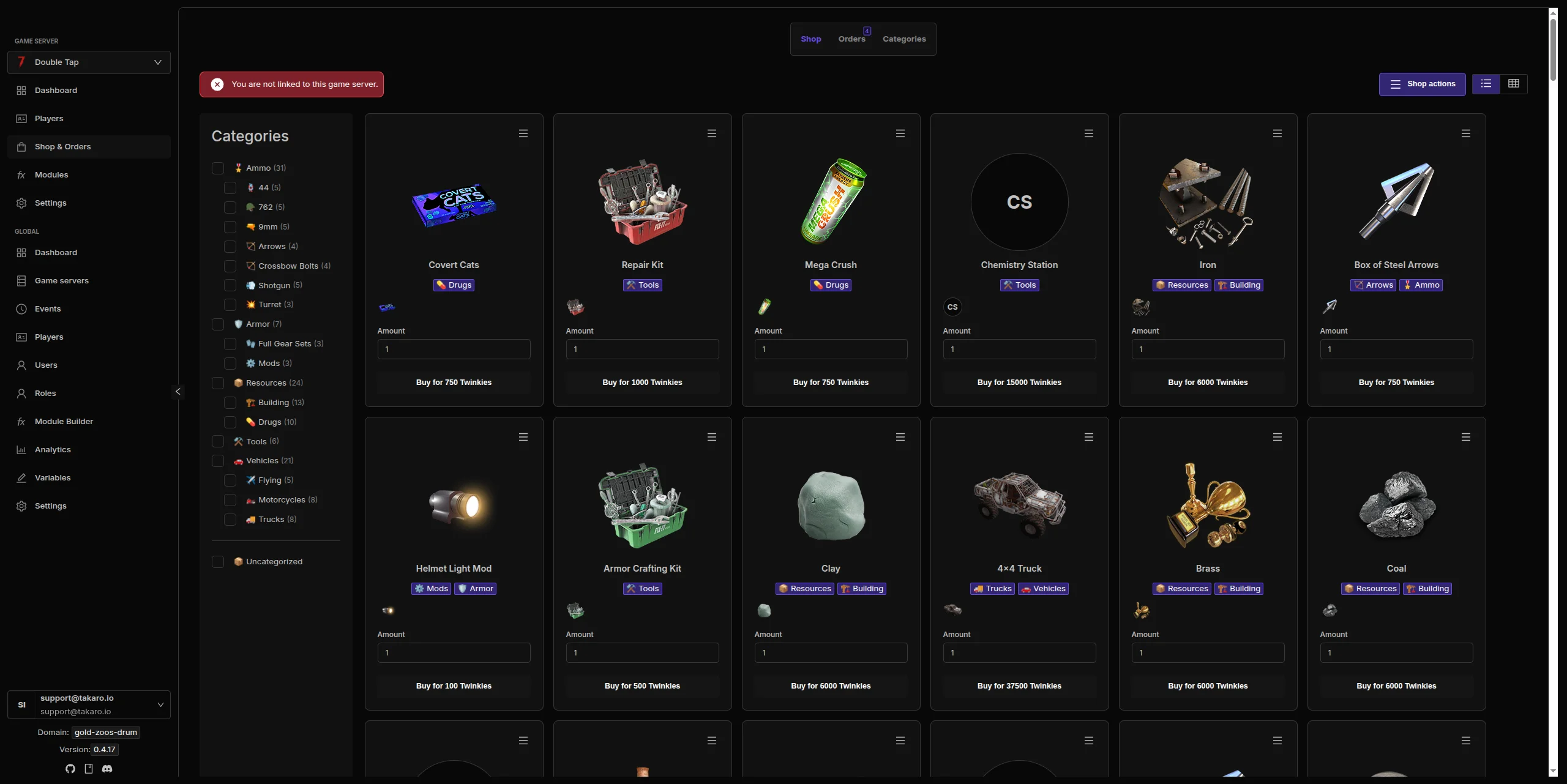
Track player activity across wipes
See who is online, track playtime patterns, and monitor player behavior. Player profiles persist across wipes so you never lose context on your regulars. Spot potential trouble before it happens.
See all features →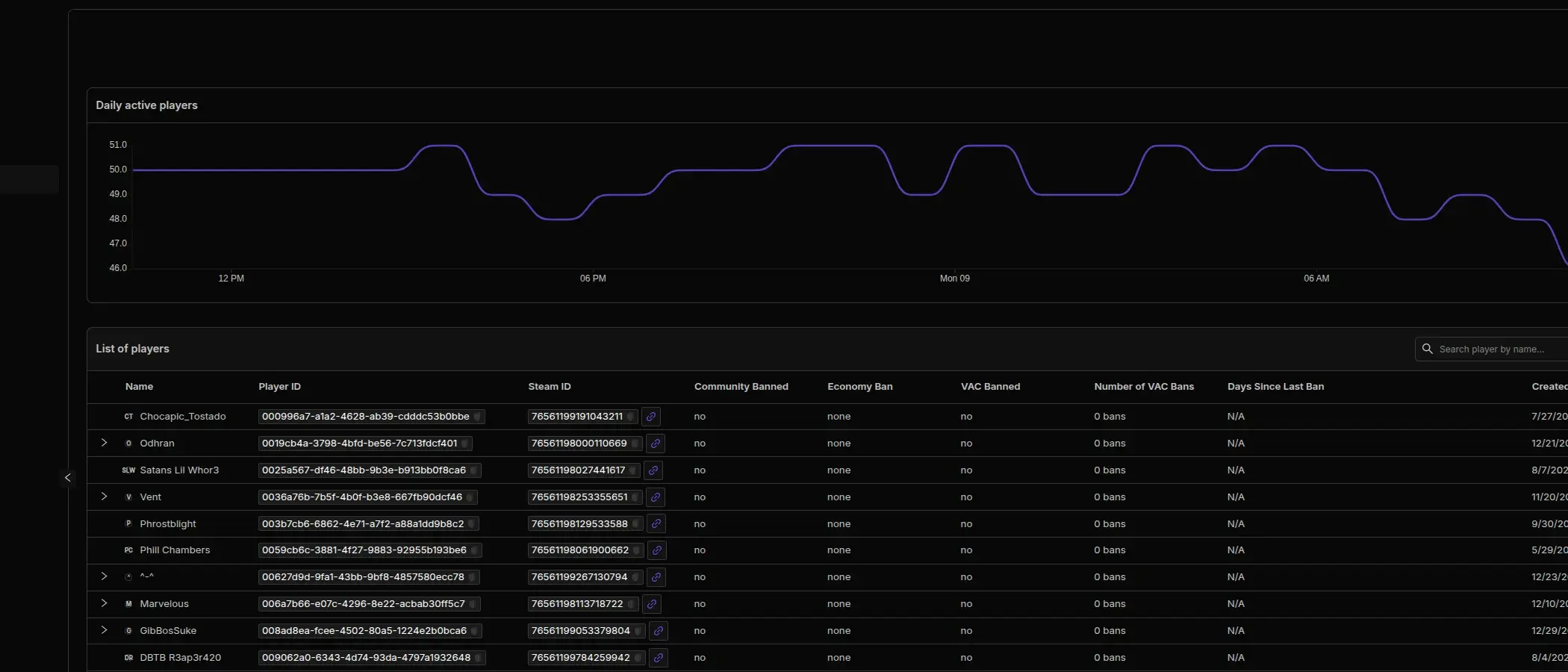
Everything happening on your server, in real time
Player joins, deaths, chat messages, module triggers, and admin actions all logged in one feed. Filter by event type, search by player, and export for review. No more guessing what happened overnight.
Learn about Discord sync →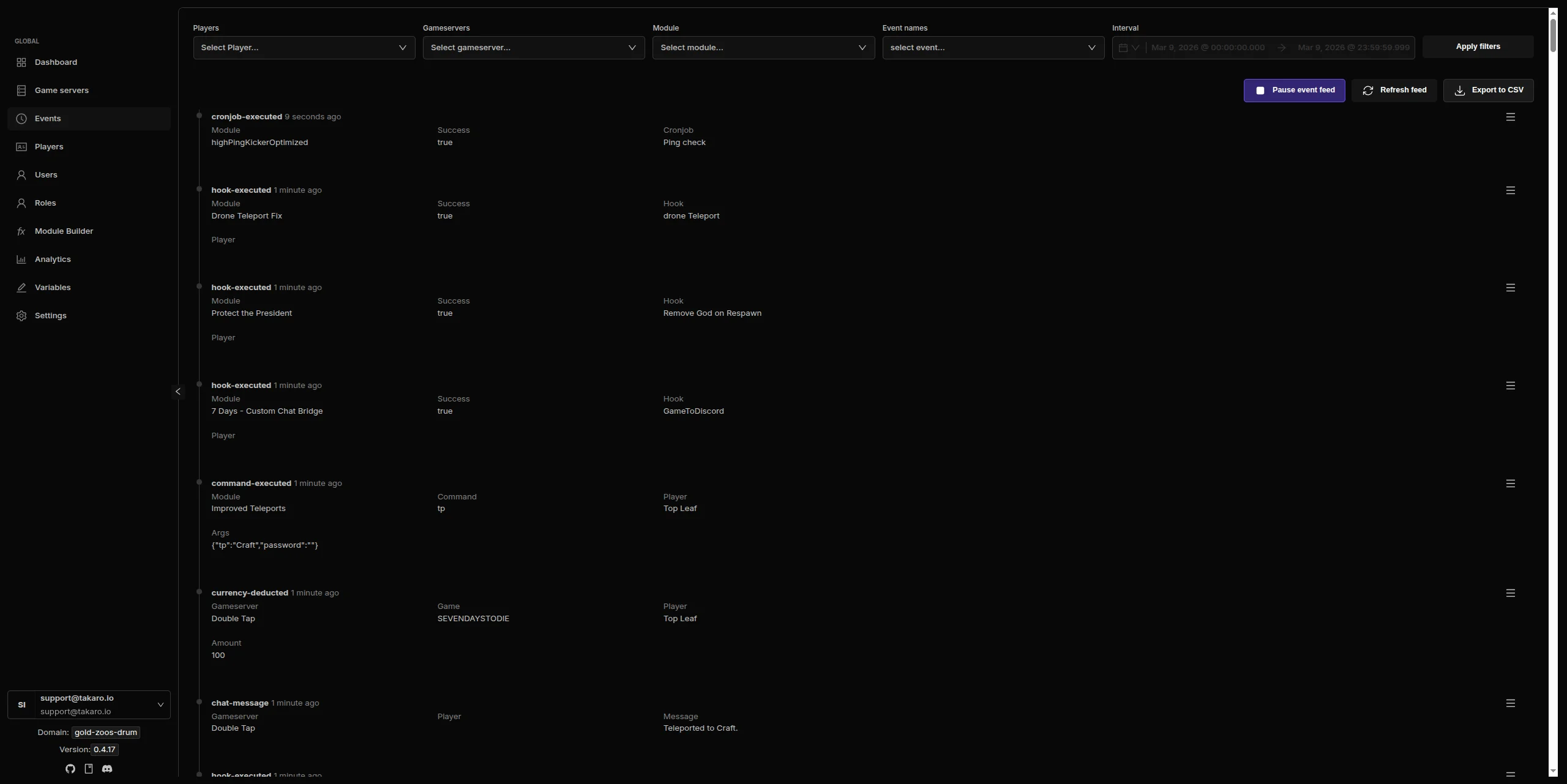
Rust server management features
Every module works out of the box. Install, configure, done.
Automated Moderation
Set rules, detect violations, and act automatically. AFK kicks, chat filters, word blocklists, and ban management. Runs 24/7 so you can sleep.
In-Game Economy
Shops, currency, kill rewards, and daily login bonuses. Configurable pricing, balance tracking, and transaction history. All from the dashboard.
Teleport System
Players set homes, teleport to friends, and warp between locations. Configurable cooldowns and costs per teleport. Works across wipes if you want it to.
Discord Sync
Chat messages, kill feeds, player joins, and server events piped to your Discord channels. Chat bridges both ways. Set it up once.
Player Insights
Track playtime, activity patterns, and behavior across wipes. Know who your regulars are, spot trends, and detect trouble early.
Scheduled Events
Schedule server restarts, announcements, rewards drops, and custom actions. Set it and forget it. Runs on your schedule.
Full REST API
Build your own tools on top of Takaro. Custom dashboards, Discord bots, integrations. Full API access on every plan, including free.
Cross-Server Management
Manage Rust alongside 7 Days to Die and Minecraft from one dashboard. Shared player profiles across games.
Connect your Rust server in minutes
No complicated setup. No server-side installs.
Create your account
Sign up at dashboard.takaro.io. Free tier available.
Add your Rust server
Install the TakaroConnector Carbon mod and connect it to your dashboard with the token from the docs.
Install modules
Browse 71+ modules and toggle what you need. Economy, teleports, moderation. All ready to go.
Manage from anywhere
Your dashboard works from any browser. Check player activity, adjust settings, moderate from your phone.
Free to start. Upgrade when you grow.
The free tier includes one server with all modules, full API access, and Discord integration. Paid plans start at €7.99/month.
Rust server management FAQ
How do I connect my Rust server to Takaro?
Install the TakaroConnector Carbon mod, then follow the Rust setup steps in the docs to pair it with your dashboard token. Once connected, Takaro starts collecting events and handling commands right away.
Does Takaro replace my plugin stack?
No. The Rust connector is a dedicated Carbon mod that sits alongside your server setup. It gives Takaro the bridge it needs without changing how you manage gameplay plugins.
What happens during a wipe?
Takaro tracks data per server. After a wipe, player teleport points and economy balances reset as expected. Player profiles and cross-server data persist across wipes.
Can I manage multiple Rust servers from one dashboard?
Yes. Add as many servers as your plan allows. The free tier includes one server. Paid plans support 2 to 8 servers, all managed from a single dashboard.
Does Takaro work after Rust updates?
Yes. Because Takaro uses a dedicated Carbon connector mod instead of a special-case integration, the setup stays consistent across Rust updates. Your modules, economy, and configuration stay intact.
How does Takaro compare to other admin tools?
Most admin tools give you a raw console. Takaro gives you a full dashboard with modules, analytics, economy, teleports, and Discord integration. See the full comparison.
Can Takaro handle high-pop servers?
Yes. Takaro is designed to handle busy servers. It processes events and commands efficiently through the connector without adding unnecessary overhead.
Is Takaro a replacement for my server host?
No. Takaro is a management layer that sits on top of your existing server. You keep your current hosting provider. Takaro connects to your server and adds features like economy, teleports, moderation, and analytics.
Can I write custom modules?
Yes. Takaro supports custom modules with hooks, commands, and cron jobs. You can also build on top of the REST API for deeper integrations.
How much does it cost?
The free tier covers one server with all modules included. Paid plans start at €7.99/month for two servers. See all plans.
Ready to manage your Rust server?
Connect your server and start adding features in minutes.