Everything you need to run your game servers
One dashboard for Rust, 7 Days to Die, Minecraft, and community-supported DayZ. 71+ modules, Discord integration, player analytics, and a full API. Install what you need and get back to what matters.
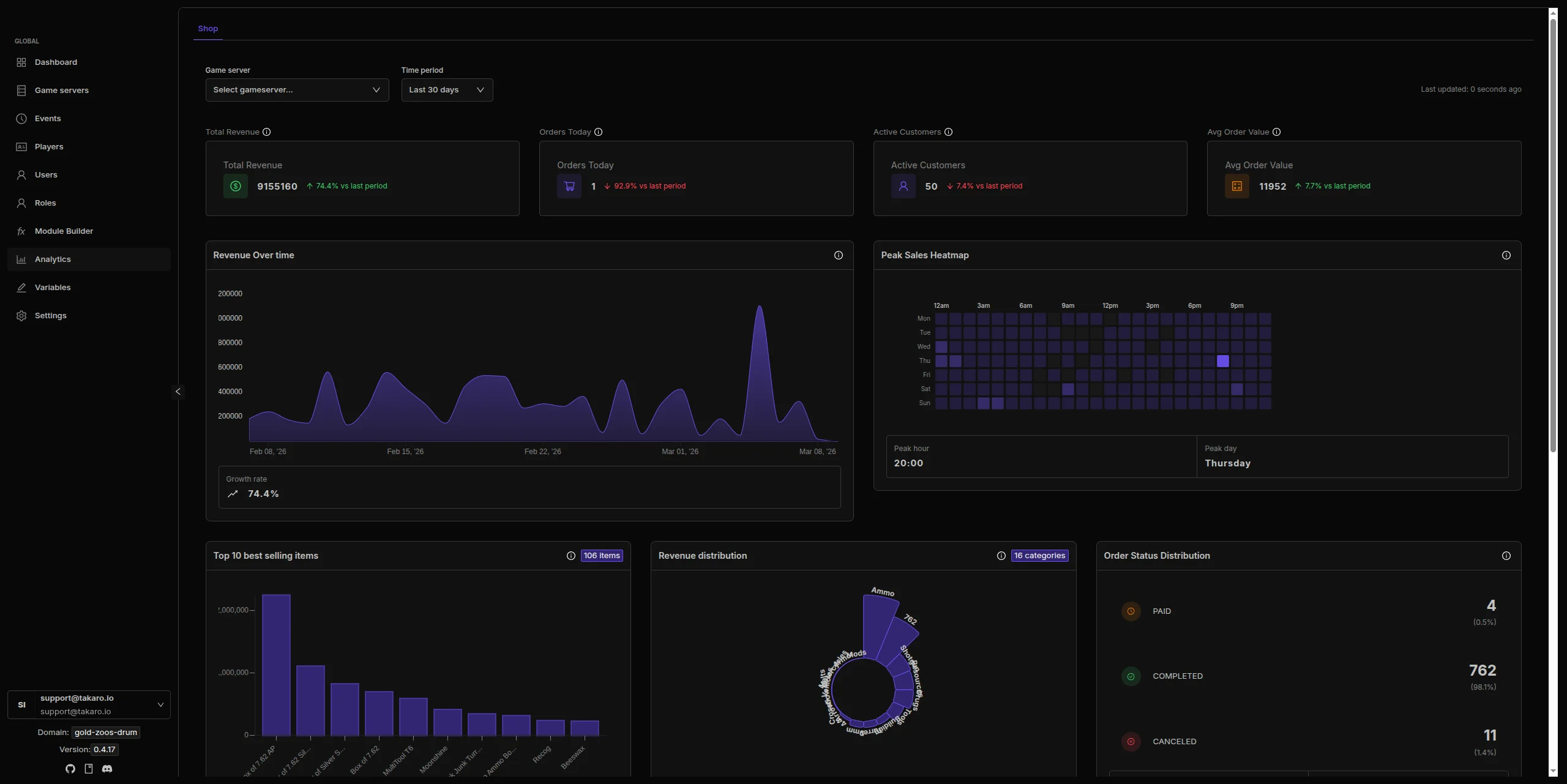
Cross-Game Dashboard
All your servers, one screen
See players, events, and server status for Rust, 7 Days to Die, Minecraft, and community-supported DayZ without switching between admin panels. Player profiles carry across games. One login, one place to manage everything.
See supported games →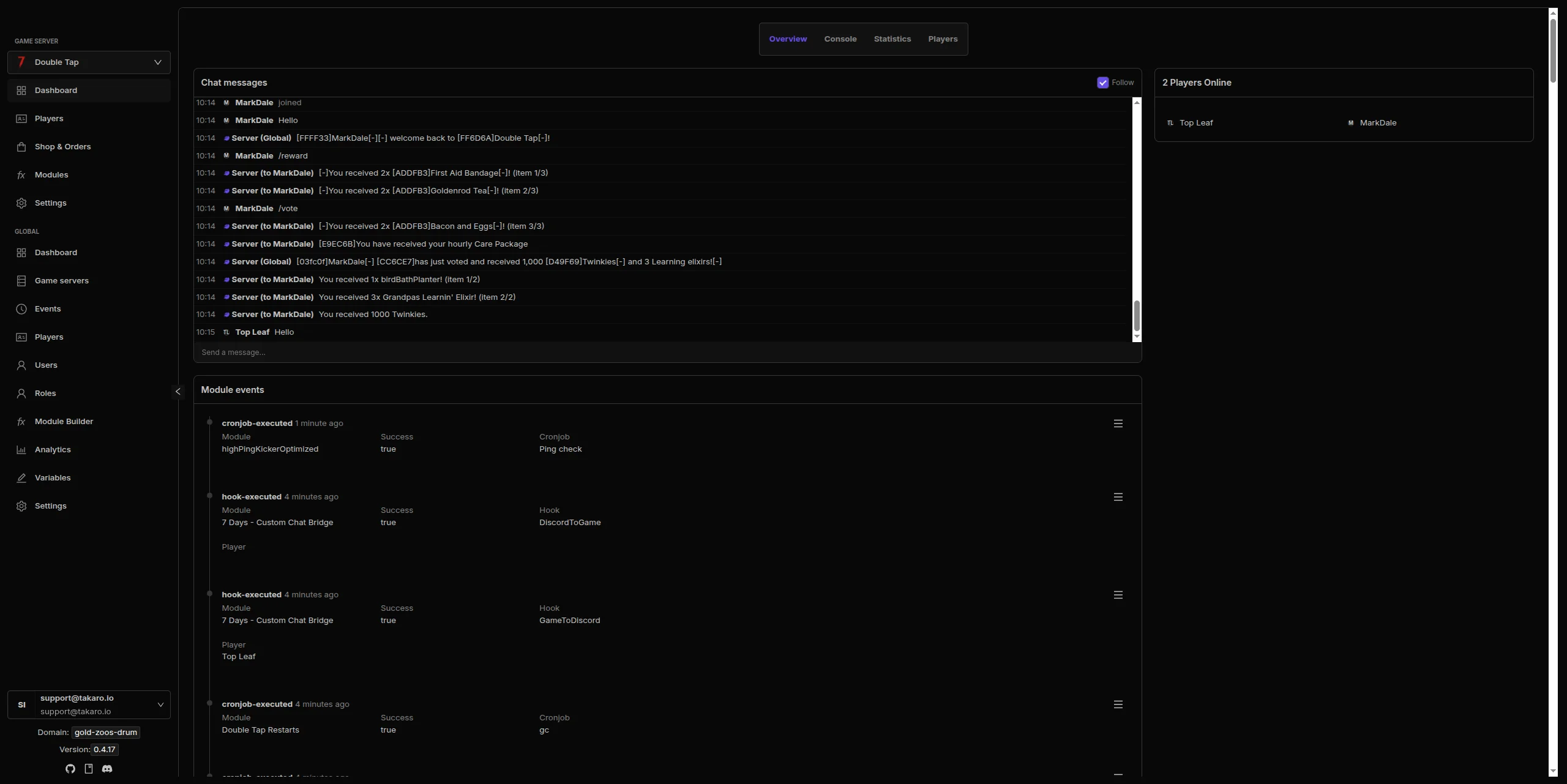
71+ Ready-to-Use Modules
Install what you need, skip what you don't
Economy systems, teleports, automated moderation, daily rewards, chat commands, and more. Browse the module library, toggle what you want, configure it, done. No coding required.
Browse all modules →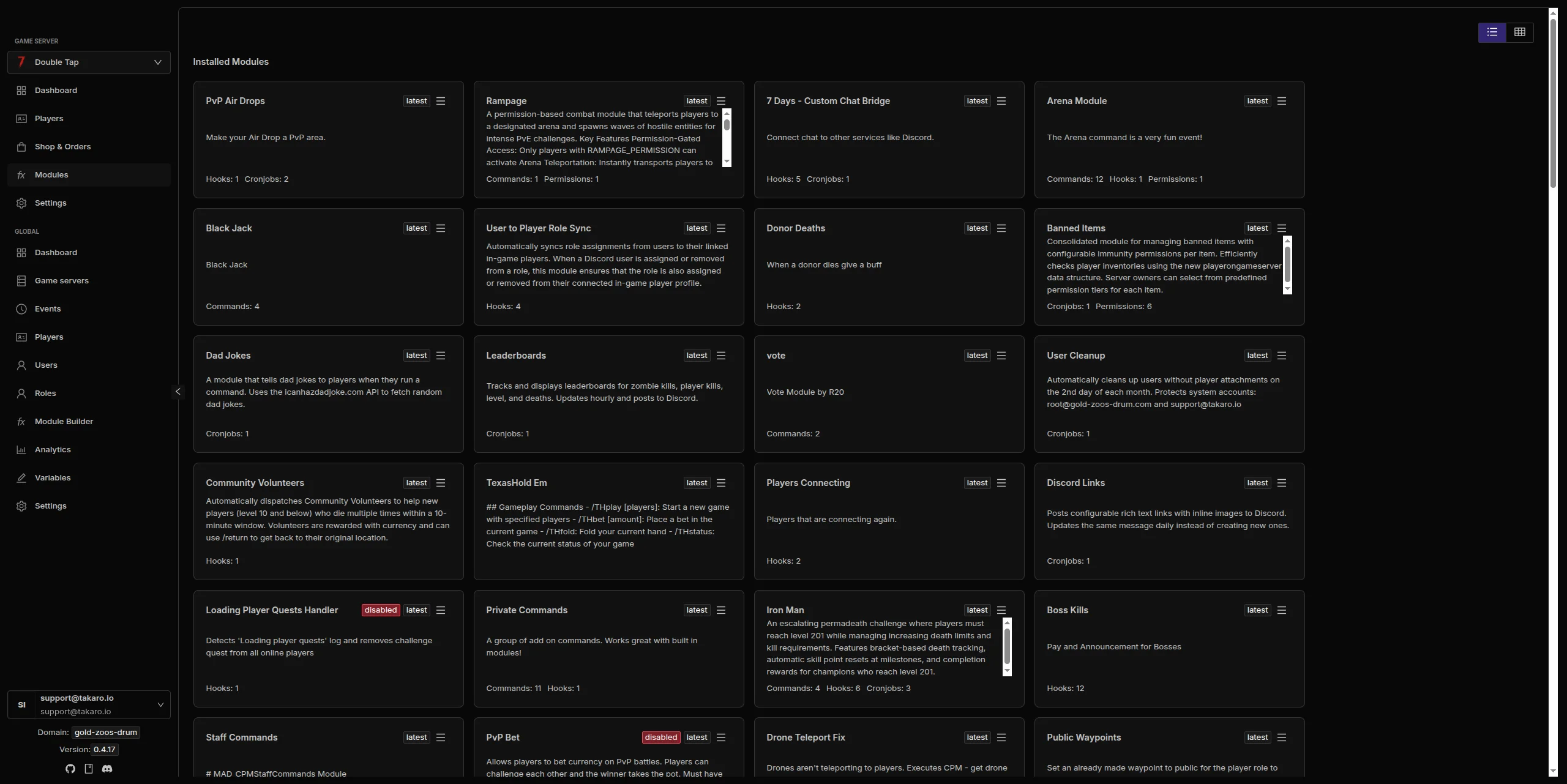
Discord Integration
Game events in Discord, chat bridged both ways
Route player joins, kills, chat messages, and server status updates to your Discord channels. Chat flows both directions. Set it up once and it just works.
See how Discord integration works →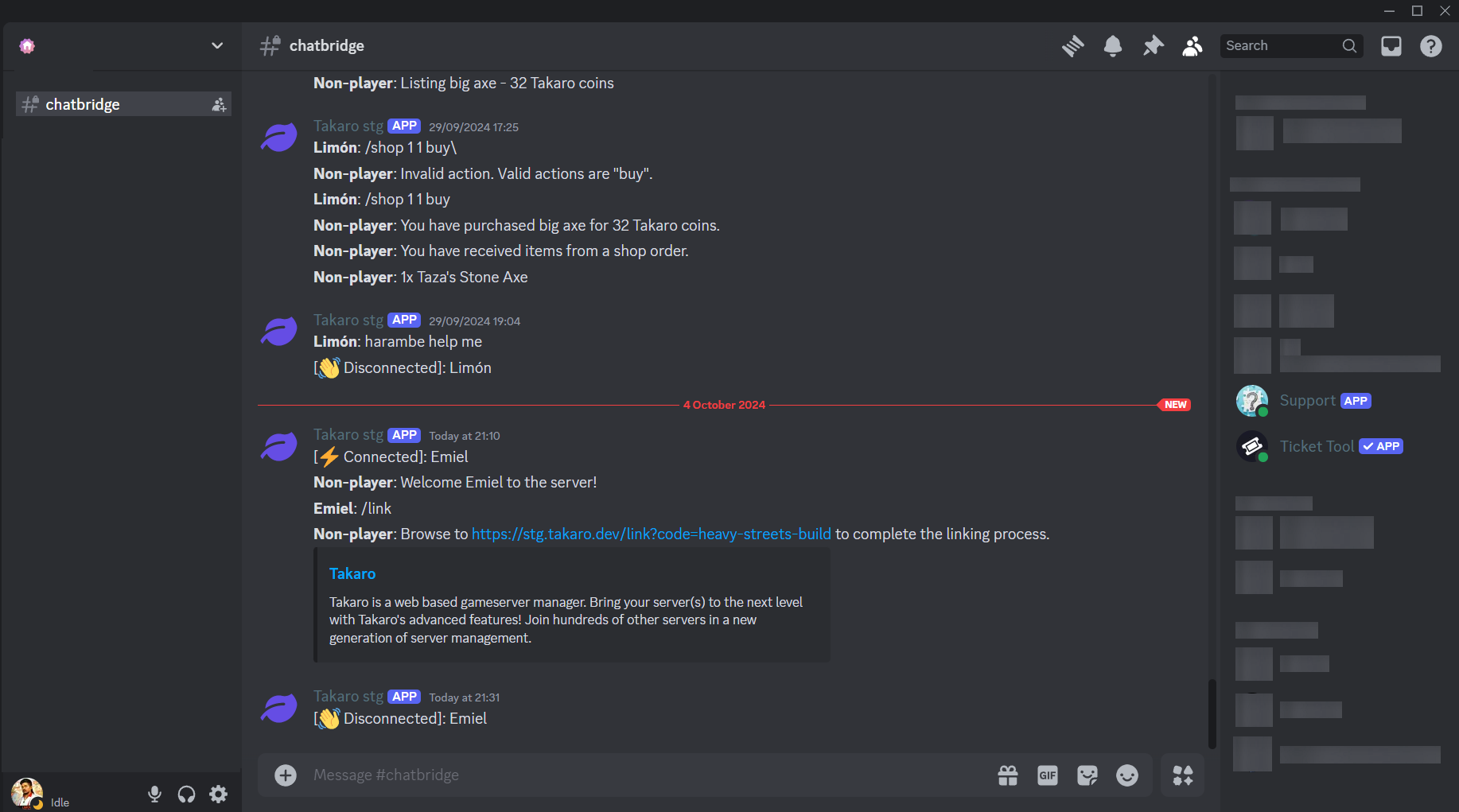
Player & Inventory Tracking
See where your players are and what they have
Track real-time player positions on an interactive map, view full inventories with change history, and replay movement paths over time. Activity heatmaps show where your players spend their time. Currently available for 7 Days to Die.
Learn more in the docs →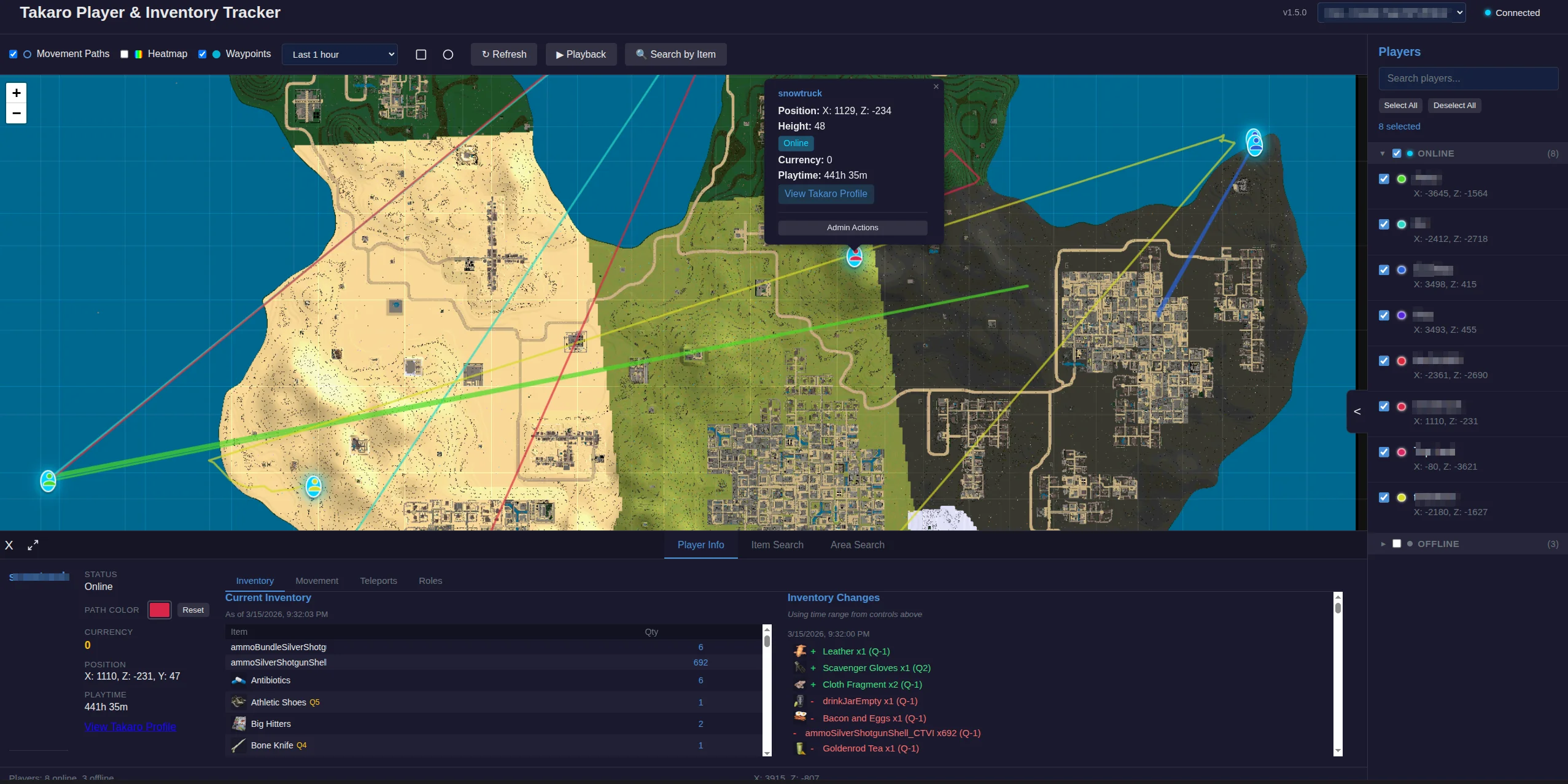
How Takaro works
Connect your game servers. Takaro handles the rest.

 Takaro
 And there's more
Player Analytics
Track playtime, activity patterns, and player behavior across all your servers. Spot your regulars, identify issues early, and understand how your community plays.
In-Game Economy
Give players currency for kills, playtime, and daily logins. Set up shops where they can spend it. Configurable prices, rewards, and balance resets per wipe.
REST API
Full API access on every plan. Build custom dashboards, bots, or integrations. Write your own modules with custom hooks and commands.
View API docs →Player Tools
Teleports, player locations, and chat commands. Players set homes, warp between locations, and manage their in-game tools from one place.
Mobile App
Check your servers, see who is online, and run commands from your phone. Available on Android with iOS coming soon.
See mobile app details →Frequently asked questions
Does Takaro replace my game server host?
No. Takaro is a management layer that connects to your existing servers. You keep your current hosting. Takaro adds features like economy, teleports, moderation, and analytics on top.
Do I need to install mods on my game server?
It depends on the game. Rust uses a Carbon-based connector mod, while other supported games may use native protocols or a small server-side mod configured with a connection token. The setup instructions for each game are in the docs.
Which games are supported?
Rust, 7 Days to Die, Minecraft, and community-supported DayZ. Takaro also has a generic connector protocol so the community can add more game servers. See all supported games.
Can I manage servers for different games from one account?
Yes. That is what cross-game management means. Add Rust, 7D2D, Minecraft, and community-supported DayZ servers to the same dashboard and manage them all in one place.
How much does it cost?
The free tier covers one server with all modules included. Paid plans start at €7.99/month. See all plans.
Ready to try it?
Connect your first server in minutes. Free tier included.